Built by Steve Housaman, 20+ years in construction operations — in collaboration with ITfiers

The construction operating system

Run your entire build business from one platform

BuilderHub unifies scheduling, capacity planning, CRM, accounting, warranty, and an AI copilot — so residential and commercial teams finally work from a single source of truth.

40+ integrated modules Residential & commercial Built-in AI copilot
app.builderhub.com/executive-dashboard
BuilderHub executive KPI dashboard showing budget, schedule, revenue forecast, and cash position

Live executive dashboard in BuilderHub — every figure shown is sample data for demonstration.

One platform replacing

Scheduling tools Spreadsheets Standalone CRM Accounting exports Warranty trackers Shared drives

Works alongside the tools you already run

QuickBooks BuilderTrend
BuilderHub helps you bring data in from these tools — it isn't an official QuickBooks or BuilderTrend integration or partnership.
Built for real builders

The whole operation, connected

Stop stitching together point tools. BuilderHub gives every division one place to plan, build, bill, and close out.

40+Integrated modules
4Divisions in one system
193Documented processes
24/7AI operations copilot
Sound familiar?

Construction data lives everywhere but together

The average builder juggles a dozen disconnected tools. Here's what that costs you.

🧩

Scattered data

Schedules in one app, budgets in another, client notes on sticky pads. Nobody trusts a single number.

⏱️

Reactive scheduling

Delays cascade silently. By the time you notice a job's behind, the contract date is already blown.

📉

Margin leaks

Overhead creep and cost drift hide in spreadsheets until they've already eaten your profit.

🙈

Blind capacity

You can't see which superintendent is overloaded — so you over-hire, or over-promise, or both.

📨

Inconsistent client comms

Weekly updates depend on who has time. Clients feel it, and referrals dry up.

🔁

Knowledge walks out the door

Your process lives in people's heads. When they leave, the standard leaves with them.

The platform

Every screen you need, already connected

Scheduling, capacity, clients, cash, and closeout — all speaking the same language. Every screen below is a real BuilderHub interface, shown with sample data.

Executive Command Center

See the whole company at a glance

A live executive dashboard rolls up budget status, schedule variance, overhead trends, revenue forecast, AR aging, warranty fund, and cash position across every division — one screen instead of a dozen spreadsheets.

  • Residential vs. commercial side by side
  • Budget, schedule, and overhead health at a glance
  • Revenue forecast and accounts-receivable aging
  • Cash position across all entities, weekly
Executive KPI Dashboard
Executive KPI dashboard
Intelligent Job Scheduling

Schedules that keep themselves honest

Build every job from reusable templates, track predecessors and submittals, and watch the focus-week view surface exactly what's happening on site. Move one date and the whole chain re-flows.

  • Reusable schedule templates per build type
  • Predecessor logic and submittal tracking
  • Focus-week calendar tied to each sub-contractor
  • Schedules sync in automatically every night — no manual re-entry
  • Email subs, print PDFs, and share in one click
Job Schedule · Focus Week
Job schedule focus week view
Capacity & Loading Chart

Know exactly who can take the next job

A 36-month loading chart maps every job to a superintendent, color-coded across the calendar with dollar totals per person. Balance workloads and take on more work without over-hiring.

  • Every job mapped to a superintendent
  • Dollar totals and job counts per person
  • Three-year forward visibility
  • Residential and commercial loading charts
Commercial Loading Chart
Capacity loading chart
Sales CRM

A pipeline built for builders

Track leads, budgets, follow-ups, and pipeline value across residential and commercial. Dedicated pipelines for realtors and commercial pursuits sit alongside your core client CRM.

  • Total clients, under-contract, and pipeline value
  • Automatic overdue follow-up flags
  • Budgets, categories, and communities per client
  • Separate residential, commercial & realtor pipelines
Residential CRM
Residential CRM client pipeline
Revenue & Accounting

Forecast revenue down to the month

A living revenue-forecast dashboard breaks contract value into monthly draws across every current and DBA job, with billing, analytics, and backups built in. Finance and ops finally see the same numbers.

  • Month-by-month revenue by job
  • Current vs. DBA job totals
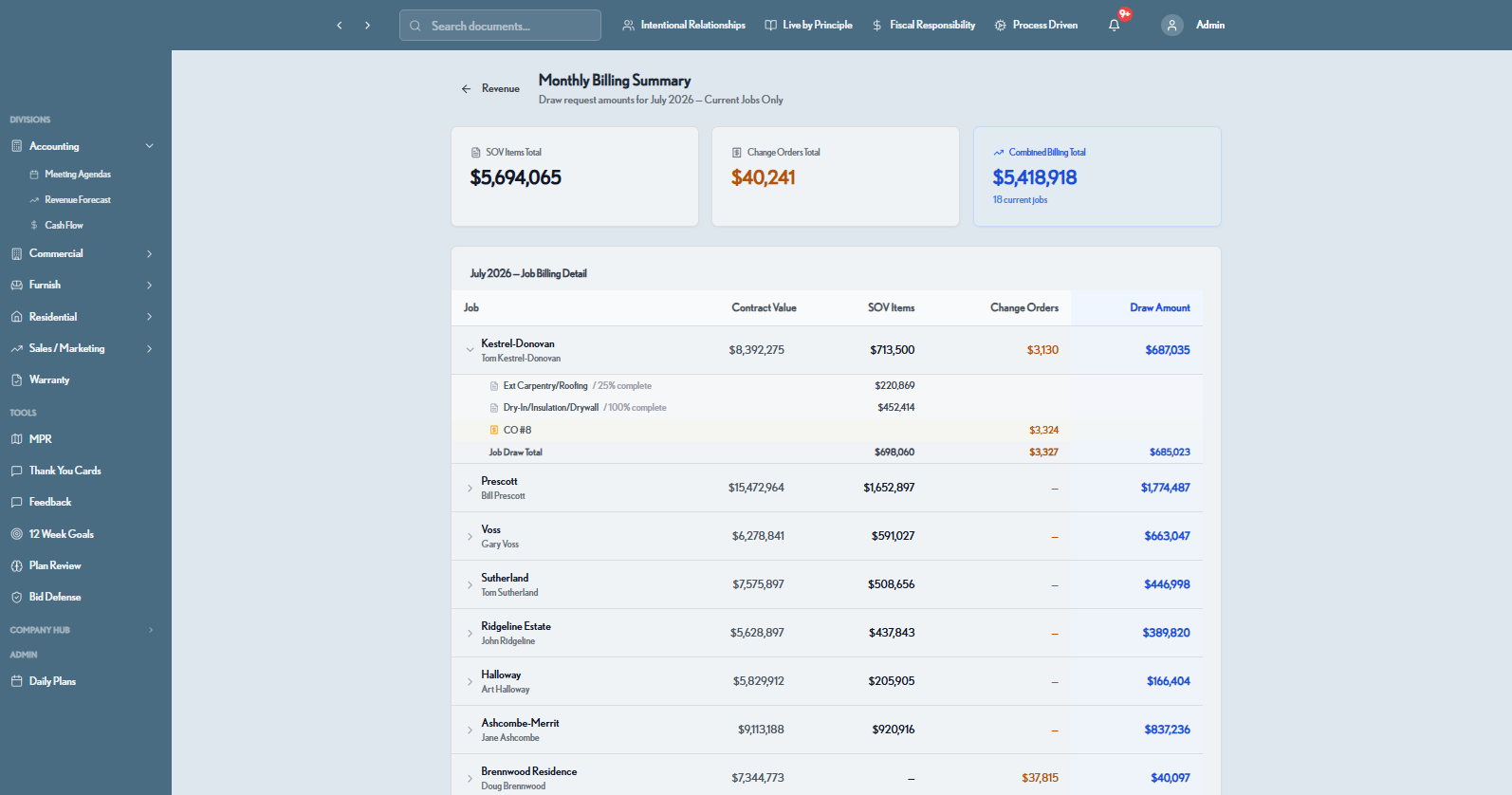
  • Monthly billing summary and draw requests
  • Cash-flow tracking by entity, imported from your QuickBooks reports
Revenue Forecast Dashboard
Revenue forecast dashboard
Purchase Order Board

Procurement tracked across every category, every job

A color-coded matrix tracks permits, materials, and labor purchase orders phase by phase for every active job — so nothing gets ordered late and nothing falls through the cracks.

  • One row per job, one column per PO category
  • Visual status from pre-con through turnkey
  • Covers permits, materials, MEP, and finishes
  • Add jobs, columns, and POs on the fly
Purchase Order Board
Purchase order board matrix
Client Weekly Reports

Polished client updates, every week, on autopilot

Capture this-week and looking-ahead narratives, attach photos and PDFs, and generate a branded client report — or email it directly. Consistent communication that turns clients into referrals.

  • Structured this-week / looking-ahead narratives
  • Photo galleries and PDF attachments
  • Generate a branded PDF or email in one click
  • Mirrored residential and commercial reporting
Commercial Weekly Report
Client weekly report builder
Warranty & Closeout

Own every punch item through final handoff

A master warranty tracker logs service and punchwork by job, by location, by priority — with email intake, aging, and status roll-ups — so no item slips past the closeout.

  • Warranty items by job, category, and location
  • Priority, age, and status tracking
  • Email intake and CSV export
  • Day-1 celebration and 90-day closeout
Master Warranty Tracker
Master warranty tracker
Built-in AI

An operations copilot that already knows your jobs

BuilderHub's AI copilot pulls from your live schedules, budgets, and job data to draft client updates, surface at-risk jobs, summarize the week, and answer operational questions — instantly.

  • Personalized daily digest for every superintendent
  • Plan Review Agent scans plans for scope gaps
  • Bid Defense Agent analyzes bids & extracts lessons
  • Auto-classify documents by vendor and trade
🧑
Which residential jobs are trending behind schedule this month?
BuilderHub Copilot
3 jobs are trending behind: Ridgeline Estate (−6 days), Halloway (−4 days), and Ashcombe-Merrit (−3 days). Ridgeline's slip traces to a framing predecessor. Want me to draft the client update and flag the super?

Illustrative interface — representative of the AI copilot workflow.

AI agents at work

Pre-construction intelligence, built in

Two dedicated AI agents help you win and de-risk work before a job ever breaks ground.

Bid Defense Agent

Defend every number in your bid

Upload bid documents and the Bid Defense Agent auto-classifies them, flags critical items, and generates a structured report — with lessons extracted from every closed pursuit so estimating gets sharper over time.

  • Critical / warning / info flags on every line
  • Auto-classification by vendor and trade
  • Structured, defensible bid report
  • Lessons extracted from historical bids
Bid Defense · Report
Bid defense report
Master Process Roadmap

Your entire playbook, documented and searchable

The Master Process Roadmap houses every documented process — 193 and counting — organized by division and phase, so your standard survives turnover and scales with the company.

  • Processes organized by division & phase
  • Sales, residential, commercial & accounting
  • Favorites, weekly training, and glossary
  • Institutional knowledge that outlasts people
Master Process Roadmap
Master process roadmap
And much more

A module for every part of the build

Beyond the core, BuilderHub covers the operational details that keep jobs moving and clients happy.

📋

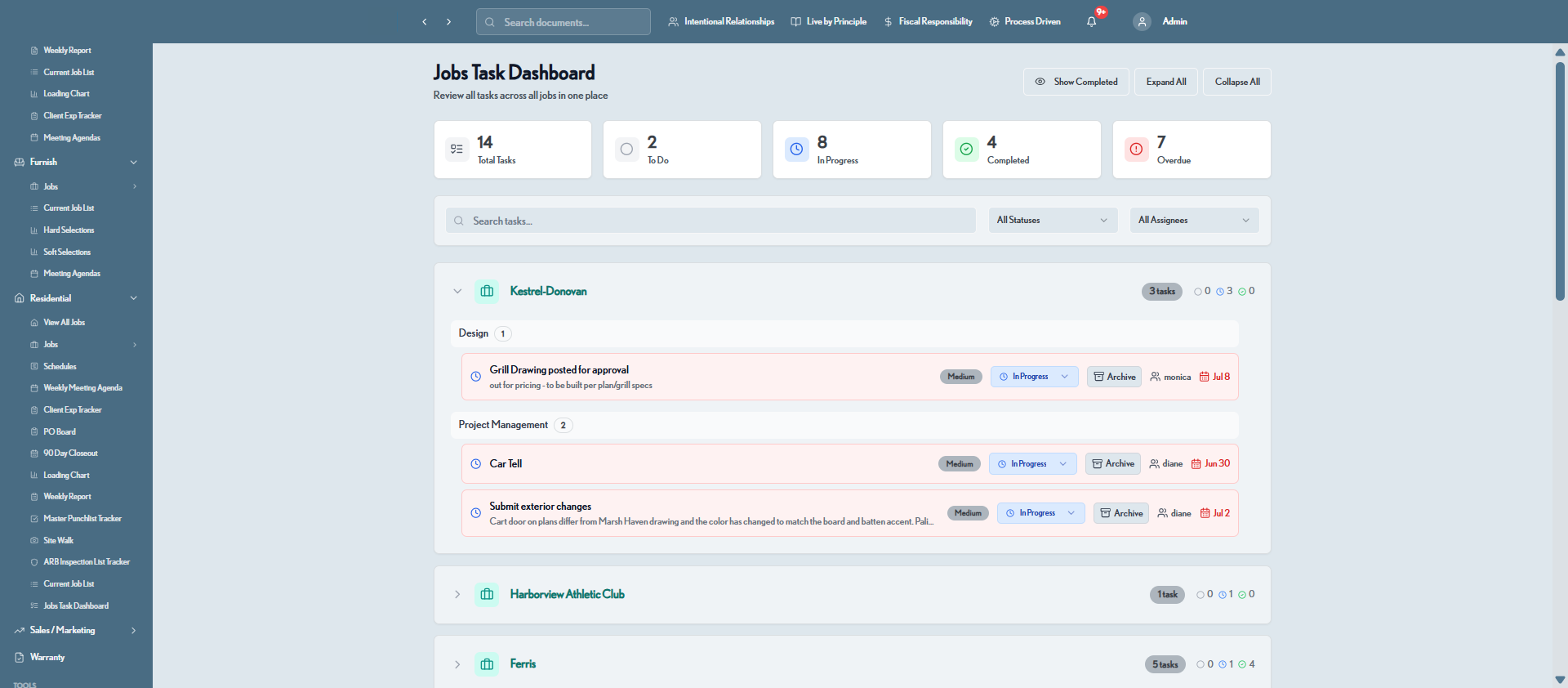
Jobs Task Dashboard

Every task across every job in one place — filtered by status, assignee, and division.

🗓️

Daily Plans

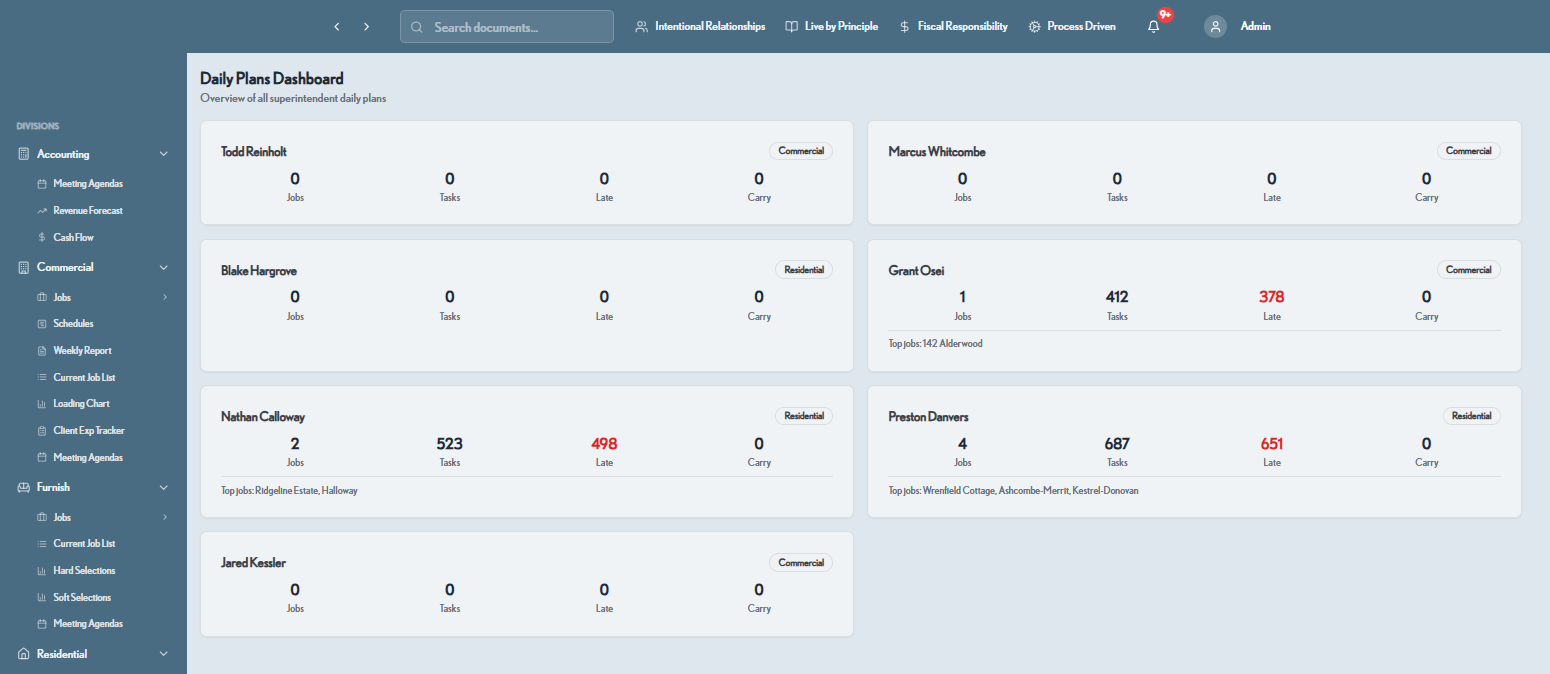
Each superintendent's day rolled up for leadership — jobs, tasks, late items, and carry-overs.

🎯

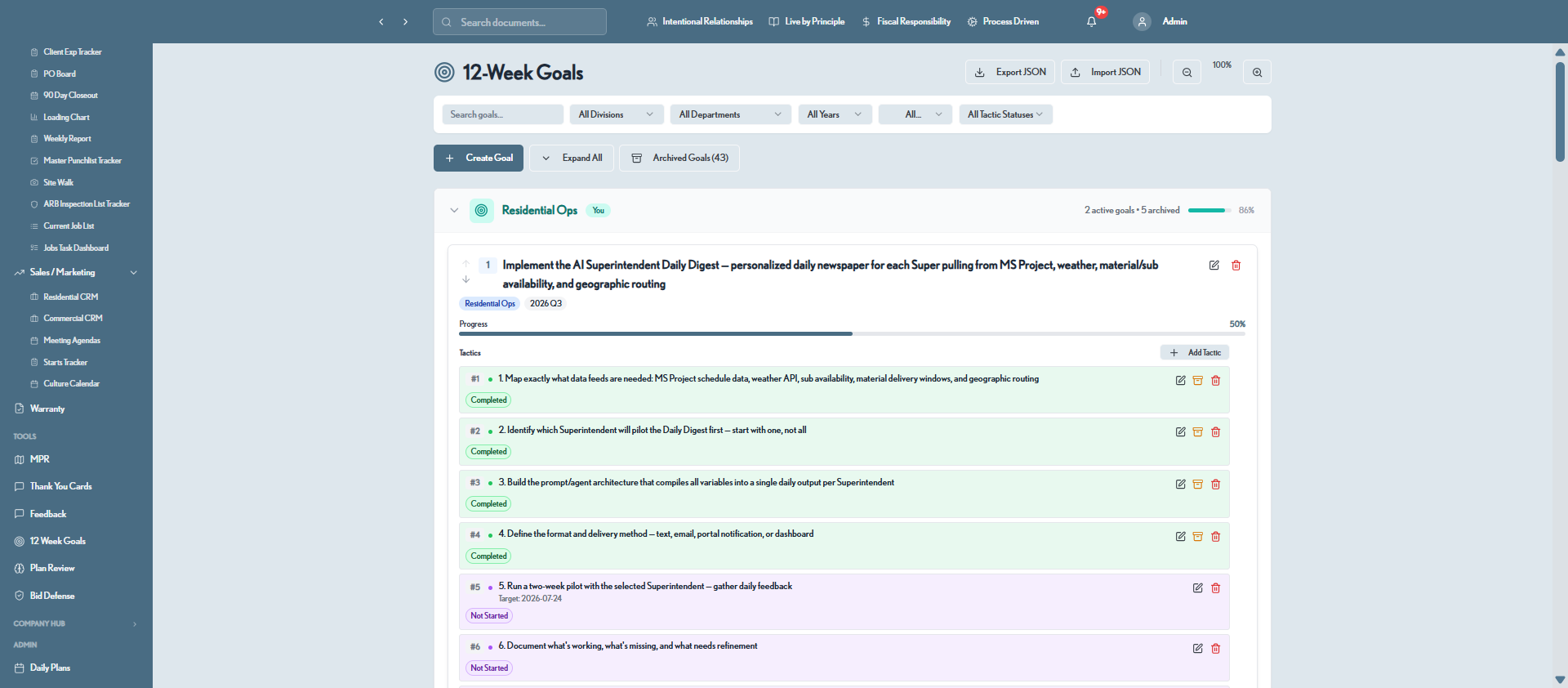
12-Week Goals

Company goals broken into trackable tactics with owners, dates, and progress roll-ups.

🚀

Starts Tracker

Every job from DBA to contract to construction, with ARB, permit, and milestone gates.

💛

Client Experience Tracker

Touchpoints and gifts mapped across the full client journey, milestone by milestone.

🧾

Controller Billing

Monthly billing summary with SOV items, change orders, and draw amounts per job.

🚶

Site Walk & Punchlist

Log an issue on site and it flows straight to the superintendent's punchlist.

📝

Meeting Agendas

Public and private agendas per division, with email, history, and one-click reuse.

🎓

Training Library

Role-based courses and a video training drive with progress tracking per learner.

🤝

Sub & Supplier Directory

Hundreds of subs and suppliers by trade, with appreciation ideas and business licenses.

❤️

Community & Culture

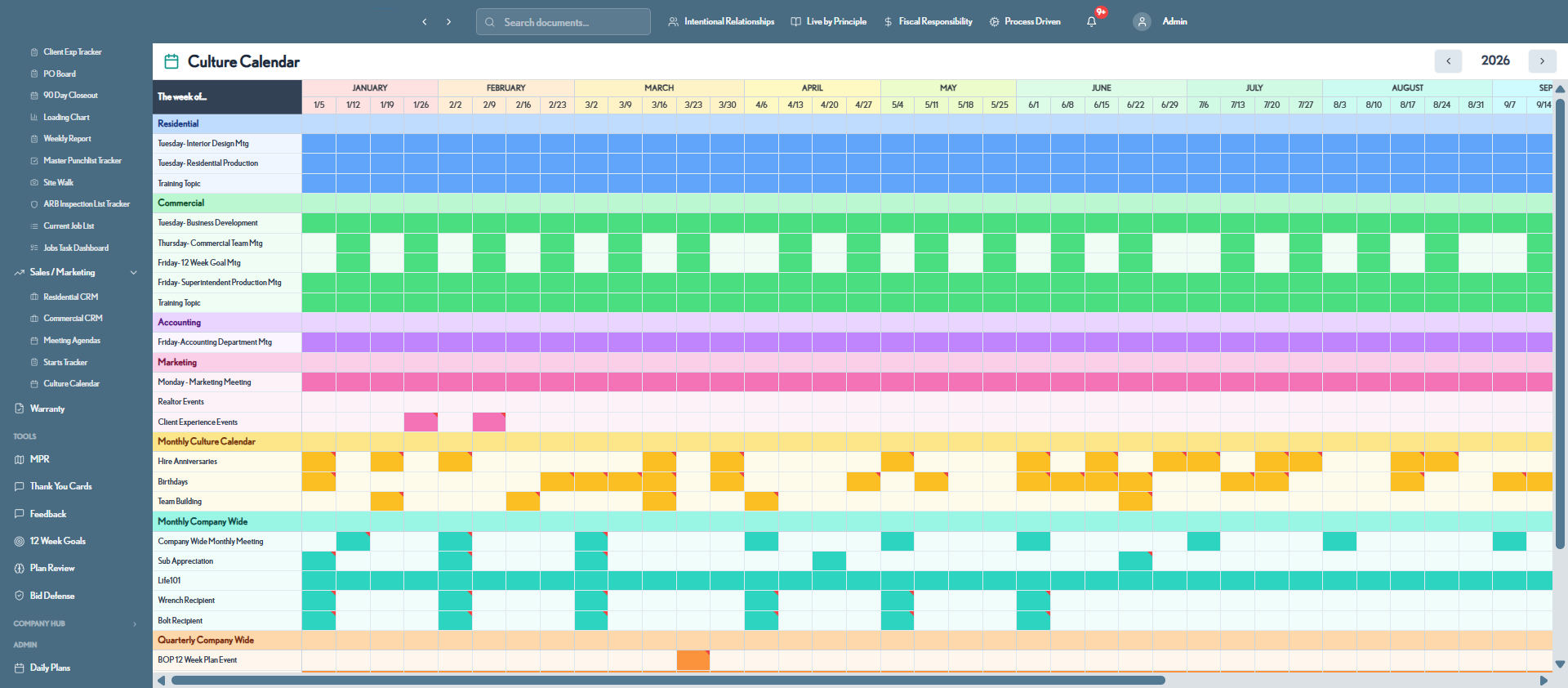
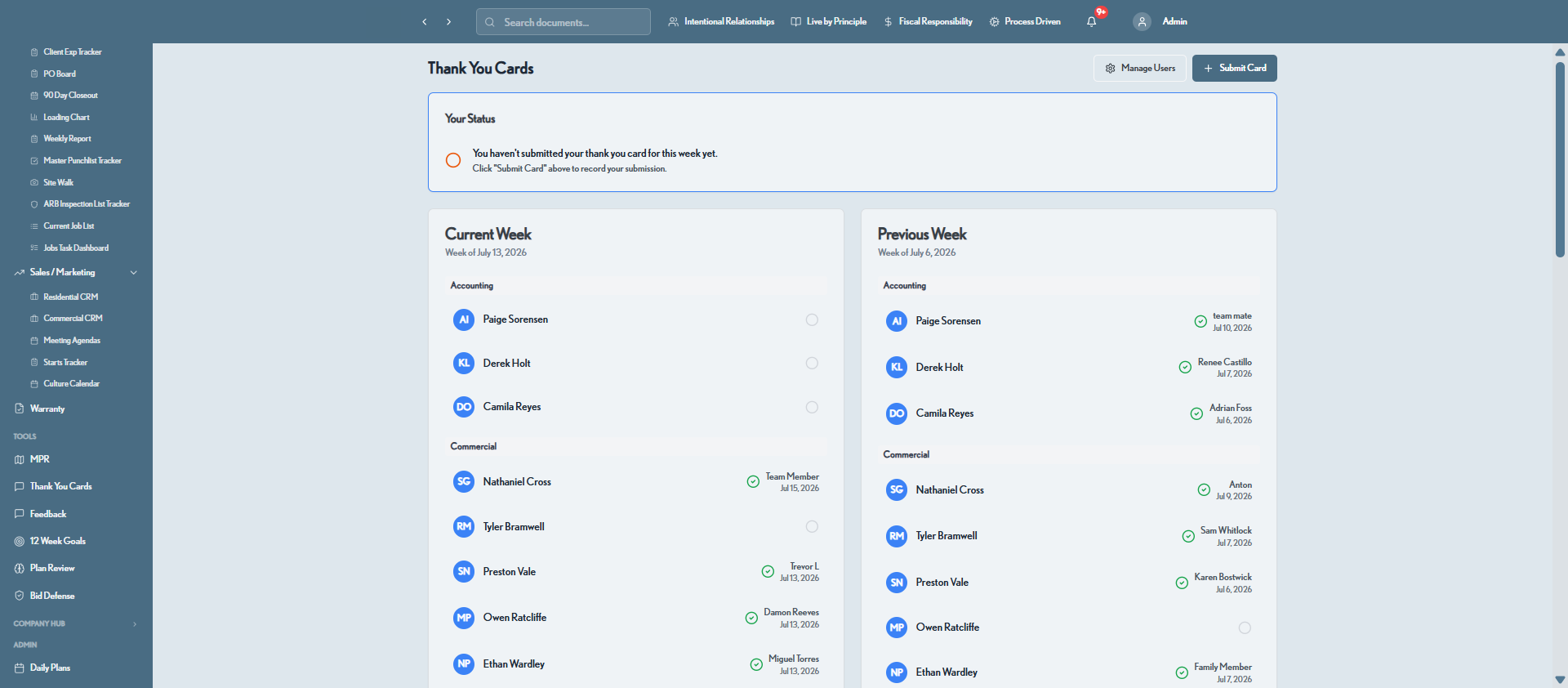
Community outreach, a culture calendar, thank-you cards, and feedback boards.

🗂️

Document Hub

External document links organized by department, plus an annual letter and vision story.

One system, every division

Purpose-built for how builders are organized

Residential, commercial, furnish, and accounting each get tailored tools — under one roof.

🏠

Residential

Custom homes from lead to 90-day closeout — jobs, selections, punchlist, and warranty.

🏢

Commercial

Pipeline, bid calendar, revenue forecast, and client-experience tracking for larger pursuits.

🛋️

Furnish

Hard and soft selections, product libraries, and furnish-specific job lists.

💰

Accounting

Revenue forecast, cash flow, controller billing, and accounting meeting agendas.

📣

Sales / Marketing

Residential & commercial CRM, starts tracker, culture calendar, and marketing.

🛡️

Warranty

Master warranty tracker, intake, ARB inspections, and closeout — through final handoff.

Inside the platform

More real screens, more real workflows

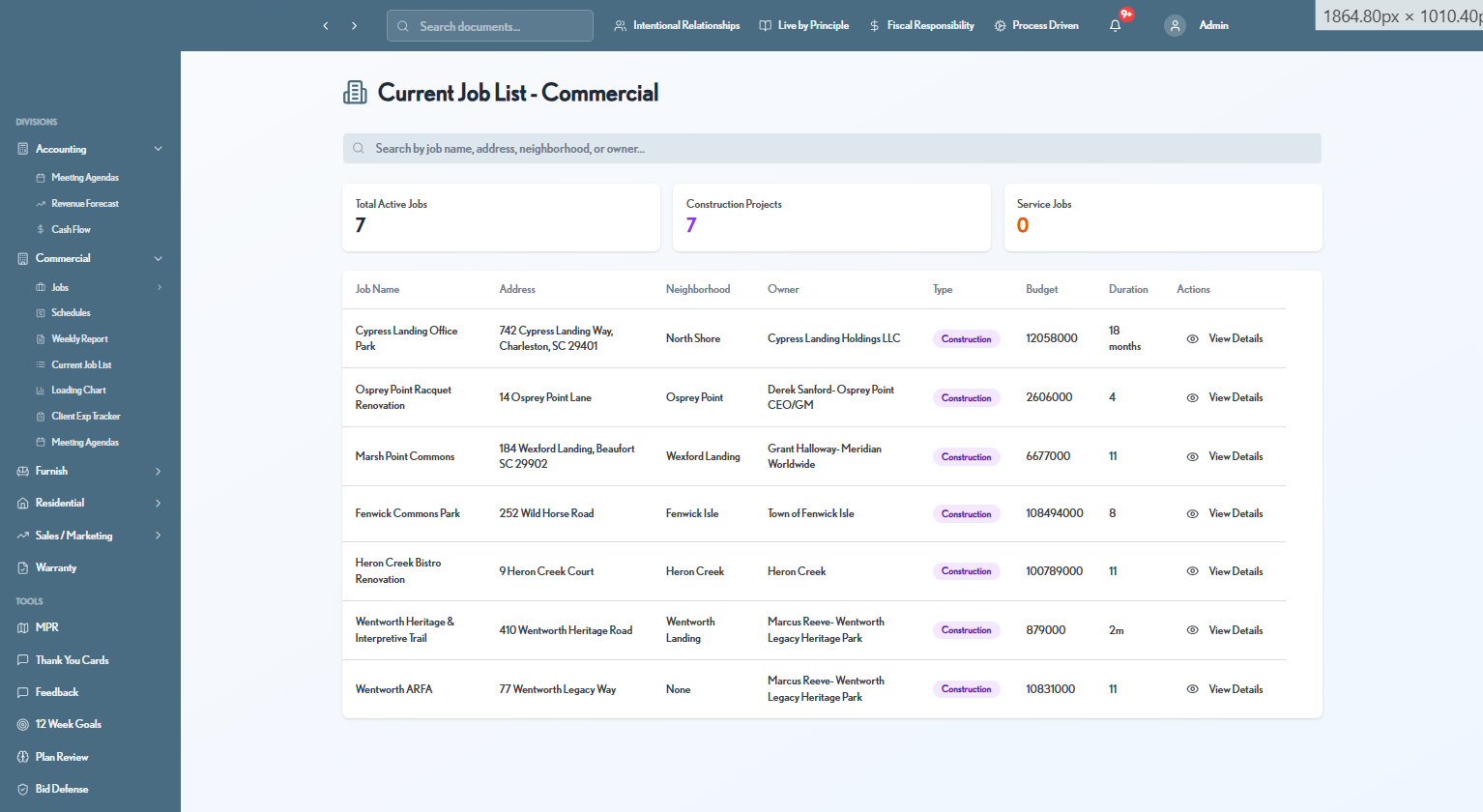
A closer look at the day-to-day tools your team will actually live in. Sample data shown.
Built for your team

One platform, tailored to every role

From the field to the boardroom, everyone works from the same real-time picture.

📋

Project Managers

Own the schedule without the spreadsheet gymnastics.

  • Self-updating schedules with predecessor logic
  • Focus-week view tied to every sub-contractor
  • Punchlist, warranty & closeout tracking in one place
🤝

Sales & Client Experience

Keep clients delighted and pipelines full.

  • Residential, commercial & realtor CRM pipelines
  • Branded weekly reports clients love to receive
  • Client experience tracker across the full journey
💰

Finance & Accounting

Real-time financial truth, not month-end surprises.

  • Revenue forecast, cash flow & AR aging
  • Controller billing and job-level draw tracking
  • KPI dashboards leadership can trust

Owners & Executives

Steer the whole company from live data.

  • Cross-division executive KPI dashboard
  • AI copilot with daily digests & risk alerts
  • Meeting agendas, goals & company-wide visibility
How it flows

From first lead to final handoff

BuilderHub carries a job through its whole lifecycle — without ever leaving the platform.

Win the work

Track leads in the CRM, defend bids with AI, and forecast the revenue before you sign.

Plan the build

Spin up a schedule from a template, balance capacity on the loading chart, and set up POs.

Run the job

Daily plans, task dashboards, site walks, and weekly client reports keep everyone aligned.

Close it out

Punchlist, warranty, and 90-day closeout ensure a clean handoff — and a happy referral.

The payoff

What builders gain with BuilderHub

Real operational leverage — the kind that shows up in your margins and your reputation.

⏱️

Deliver on time, more often

Self-correcting schedules and early risk alerts mean fewer surprises and jobs that finish when you promised.

📈

Protect your margins

Right-size crews with live loading data and catch cost drift before it eats your profit.

🤝

Win client trust

Polished, consistent weekly reporting keeps owners confident and referrals flowing.

🧭

Lead from live data

Executives get one real-time source of truth across divisions — decisions on facts, not recollection.

Move faster with AI

The copilot handles briefs, drafts, and risk-spotting — freeing your best people for higher-value work.

🗂️

Retain your process

Processes, punchlists, and training live in one place, so your standard scales with the company.

Why BuilderHub

Point tools solve one problem. BuilderHub runs the whole company.

Generic construction software is bolted together from modules that never quite fit how you work. BuilderHub was built from the ground up for multi-division builders — so it fits like it was made for you, because it was.

⚙️

Purpose-built, not generic

Designed around real residential and commercial workflows — phases, loading, closeout — not a one-size-fits-all template.

🔗

Truly unified data

Schedules, CRM, reports, and financials share one source of truth. Change something once and it's right everywhere.

AI woven throughout

Not a chatbot bolted on the side — an operations copilot with context across your entire business.

📱

Works everywhere

Responsive and installable as an app, so the field and the office see the same live picture on any device.

🔒

Enterprise-grade security

Role-based access, granular permissions, and secure session auth keep sensitive job and financial data protected.

🧩

Scales with your divisions

Residential, commercial, furnish, accounting, and more — add teams and workflows without adding tools.

Questions

Frequently asked

Is BuilderHub for residential, commercial, or both?
Both. BuilderHub is built around how builders are actually organized — residential, commercial, furnish, and accounting divisions each get tailored tools inside one unified system, with executives seeing across all of them.
Do we have to replace all our current tools at once?
No. Most teams start with the modules that hurt most — scheduling, the loading chart, or the executive dashboard — and expand from there. BuilderHub is designed to consolidate your stack over time, not force a big-bang cutover.
What does the AI copilot actually do?
It works from your live job data to draft client updates, surface at-risk jobs, summarize the week, generate superintendent daily digests, review plans for scope gaps, and analyze bids. It's an operations assistant, not a chatbot bolted on the side.
Can we keep our own processes and templates?
Yes. Schedule templates, meeting agendas, PO categories, and the Master Process Roadmap are all yours to configure. BuilderHub documents and enforces your standard, not a generic one.
How do clients experience it?
Clients receive polished, branded weekly reports — with narratives, photos, and attachments — generated straight from the platform. Consistent communication is one of the biggest referral drivers builders see.
How do we get started?
Request a demo below. We'll walk through the platform against your real workflow and map out a rollout that fits your divisions and team.
Get started

See BuilderHub on your own jobs

Book a walkthrough and we'll show you exactly how BuilderHub replaces the tools you're juggling today — mapped to your divisions and workflow.

  • A live, tailored platform walkthrough
  • A rollout plan for your team & divisions
  • Answers on migration, security & onboarding

Request a demo

Tell us a little about your company and we'll be in touch.

Thanks! We've received your request and will be in touch shortly.